
How to change your account information
If you've already signed up for a user account to play Defend & Conquer, and you'd like to change the password or e-mail address information for that account, press the "Click Here" button at the bottom left of the Log In screen. This will bring you to the "Change Password and E-Mail" screen.
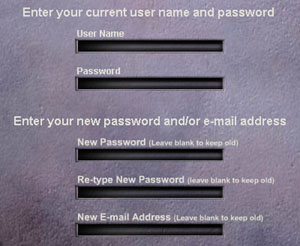
The
Change Password and E-Mail screen
First, enter your current username and user password at the top of this screen. Then, if you want to change your user password, enter your new password twice, in the "New Password" and "Re-type New Password" fields. If you want to keep your password the same as it is now, leave these 2 fields blank. Next, if you want to change your user e-mail address, enter your new address in the "New E-mail Address" field. To keep your user e-mail address as it is now, leave this field blank.
When you are done making your changes, press the "Done" button at the bottom of the screen. Your changes will take effect, and you'll be returned to the Log In screen.
•To
learn more about signing up for an account to play Defend & Conquer,
click here.
